
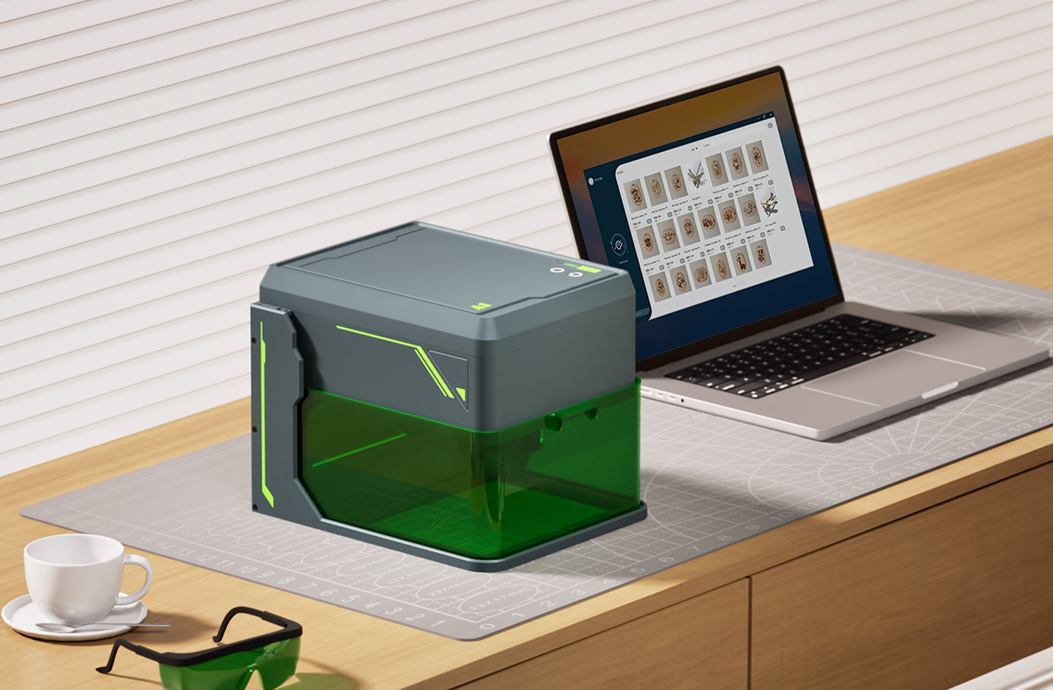
Que vous soyez amateur, propriétaire d'une petite entreprise ou créateur professionnel, choisir le bon graveur laser peut faire une grande différence dans votre flux de travail créatif. Avec les lasers diode, modules infrarouges, systèmes UV, machines CO2 et configurations galvo disponibles, le meilleur choix dépend de vos matériaux, de votre espace de travail, de votre budget et de vos objectifs de production.
Ce guide présente les principaux facteurs à considérer avant de choisir un graveur laser.
Step 1 : définir votre usage principal
Commencez par vous demander ce que vous comptez fabriquer le plus souvent :
- Cadeaux personnalisés, projets créatifs et décoration intérieure
- Projets en bois, cuir, papier, acrylique ou tissu
- Étiquettes métalliques, bijoux, outils ou marquage industriel
- Marquage sur verre, plastique, céramique ou matériaux délicats
- Production en série pour une petite entreprise ou un atelier
Vos matériaux et votre volume de production doivent guider le type de laser à choisir.
Step 2 : associer le type de laser aux matériaux
Graveurs laser diode
Les graveurs laser diode sont compacts, accessibles et adaptés aux débutants. Ils sont utiles pour le bois, le cuir, le papier, l'acrylique foncé, les métaux revêtus et de nombreux projets DIY.
Idéal pour : amateurs, débutants, petits studios, cadeaux personnalisés et création de bureau.
Modules laser infrarouges
Les modules infrarouges sont souvent utilisés pour des marquages plus fins sur certains métaux et plastiques. Ils peuvent être un complément utile lorsque votre flux de travail inclut à la fois des matériaux créatifs standards et de petites tâches de marquage métal.
Idéal pour : makers qui veulent plus de flexibilité matériau dans une configuration compacte.
Graveurs laser UV
Les lasers UV sont excellents pour un marquage propre et à faible chaleur sur les plastiques, le verre, la céramique, les métaux revêtus, le cuir, le papier et les matériaux délicats. Ils sont particulièrement utiles lorsque les détails fins et la réduction des dommages thermiques comptent.
Idéal pour : marquage de précision, étiquetage produit, coques électroniques, verrerie, emballages et personnalisation haut de gamme.
Graveurs laser CO2
Les lasers CO2 sont de bons choix pour couper et graver des matériaux non métalliques comme l'acrylique, le bois, le cuir, le tissu, le papier, le caoutchouc et certains plastiques.
Idéal pour : enseignes en acrylique, découpe du bois, emballage, production créative et grands projets non métalliques.
Graveurs laser fibre
Les lasers fibre sont conçus pour le marquage et la gravure durables des métaux. Ils sont couramment utilisés pour l'acier inoxydable, l'aluminium, le laiton, le cuivre, les outils, les bijoux et les étiquettes industrielles.
Idéal pour : marquage métal, gravure profonde, numéros de série et applications industrielles à fort contraste.
Step 3 : considérer la zone de travail et la taille de la machine
Une zone de travail plus grande est utile pour les enseignes, panneaux, lots de production et grands matériaux créatifs. Une machine compacte peut être préférable si votre espace est limité ou si vous gravez surtout de petits produits.
- Petites machines de bureau : idéales pour cadeaux, étiquettes, petits accessoires et espaces restreints.
- Zones de travail moyennes : utiles pour les makers et petites boutiques qui ont besoin de plus de flexibilité.
- Machines grand format : préférables pour la signalétique, les panneaux, les détails de meubles et les travaux de production.
Step 4 : penser à la sécurité et à la ventilation
La gravure laser peut produire de la fumée, des vapeurs et une lumière laser intense. Les fonctions de sécurité sont importantes, surtout pour les studios à domicile, écoles, appartements et petits ateliers.
- Utilisez une protection oculaire adaptée ou une machine fermée lorsque c'est nécessaire.
- Gardez la zone de travail bien ventilée.
- Ne laissez jamais la machine sans surveillance pendant la gravure ou la découpe.
- Utilisez l'assistance d'air, les panneaux nid d'abeille ou les accessoires de filtration si besoin.
- Testez les matériaux inconnus avant une production complète.
Step 5 : évaluer le logiciel et le flux de travail
Un bon graveur laser doit s'intégrer à votre processus de conception. Vérifiez que la machine prend en charge les logiciels et formats de fichiers que vous prévoyez d'utiliser, comme PNG, JPG, SVG, DXF, AI ou PDF.
Si vous débutez en gravure laser, choisissez un système avec des étapes d'installation claires, des tutoriels pratiques et des réglages simples. Si vous êtes expérimenté, recherchez des options avancées, le traitement par lots et un contrôle précis des paramètres.
Step 6 : choisir selon vos objectifs commerciaux
Si vous comptez vendre des produits gravés, pensez au-delà de la machine. Tenez compte de la répétabilité, de la vitesse de production, du coût des matériaux, des accessoires nécessaires et des produits que vos clients sont le plus susceptibles d'acheter.
- Pour les cadeaux type Etsy : bois, cuir, acrylique et accessoires personnalisés sont de bons points de départ.
- Pour le branding : cherchez des machines qui gèrent bien les logos, QR codes, numéros de série et travaux répétés.
- Pour la personnalisation premium : les systèmes UV et fibre peuvent être préférables pour les détails fins, le verre, le plastique et le marquage métal.
- Pour les projets de découpe : les configurations CO2 ou diode plus puissantes peuvent mieux convenir selon l'épaisseur du matériau.
Guide de sélection rapide
| Besoin | Type de laser recommandé |
|---|---|
| Créations et cadeaux pour débutants | Laser diode |
| Bois, cuir, papier et acrylique foncé | Laser diode ou CO2 |
| Découpe acrylique et signalétique | Laser CO2 |
| Verre, plastique et marquage délicat | Laser UV |
| Marquage métal et gravure profonde | Laser fibre |
| Flux compact multi-matériaux | Diode avec module infrarouge, ou UV selon les matériaux |
Conclusion
Le bon graveur laser est celui qui correspond à vos matériaux les plus fréquents et à votre véritable flux de travail. Commencez par les produits que vous voulez fabriquer, puis choisissez le type de laser, la zone de travail, la sécurité et l'expérience logicielle qui soutiennent ces objectifs.
Si vous hésitez, commencez par les matériaux que vous prévoyez de graver le plus souvent. Cette seule décision vous oriente généralement vers la bonne catégorie de machine.


