


So stellen Sie den Fokus ein
Elektrische Höhenverstellung und Fokussierung durch Überlagerung von 3 Punkten

60W MOPA für Farbe. 50W 3D für Reliefs. Eine neue Dimension für Ihre Ideen.

Beginnen Sie mit dem gewünschten Ergebnis.
60W MOPA / RELIEF / JPT-LASERQUELLE
Verwandeln Sie Edelstahl mit dem Z12 60W MOPA in eine Leinwand für lebendige Farben. Gestalten Sie personalisierten Schmuck, unverwechselbare Anhänger und individuelle Geschenke – ohne Tinten oder Pigmente.


60W MOPA
Bringen Sie Ihre Farben einfach zum Leuchten.
50W 3D / RELIEF / MAX-LASERQUELLE
Erwecken Sie aufwendige Designs mit der Z12 50W 3D-Version zum Leben. Erstellen Sie detaillierte Reliefgravuren auf Metall – von individuellen Münzen bis zu dekorativen Objekten – mit ausdrucksvoller Tiefe und Struktur.


50W 3D
Alle Metallprojekte abgedeckt
Für Profis entwickelt: Jedes Detail des Z12 ist auf höhere Präzision, dauerhafte Zuverlässigkeit und einen reibungsloseren Gravurablauf von der Einrichtung bis zur Produktion ausgelegt.
Elektrische Höhenverstellung und Fokussierung durch Überlagerung von 3 Punkten

JPT- oder MAX-Laserquelle mit 100.000 Stunden Lebensdauer

0,01 mm Genauigkeit bei feinen Linien für detaillierte Markierungen

Lösen Sie die Schraube und drehen Sie die Einheit zur Montage um 90°.
Maximales Markierfeld von 200mm x 200mm, ausgelegt für mehr Kapazität und Leistung.

Standardmäßig mit 200 × 200 mm-Linse, als kostenloses Geschenk eine zufällig ausgewählte 110 × 110 mm- oder 150 × 150 mm-Linse.

Die gezeigten Schnittergebnisse basieren auf Tests mit guter Schnittkante


Edelstahl und Messing schneiden
Einstiegspreis: 1.280 USD
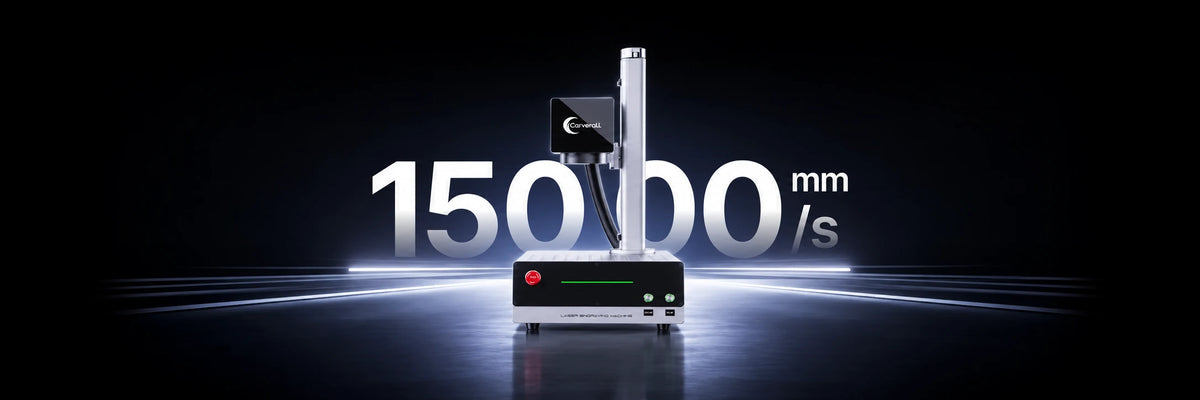
Höhere Geschwindigkeit: 15.000 mm/s
Größere Fläche: 200 × 200 mm

60W MOPA
Entdecken Sie lebendige Farbmarkierungen auf Edelstahl mit präzisen, dauerhaften Ergebnissen.

MD18 Drehspannfutter
Bearbeiten Sie Ringe, Trinkbecher und zylindrische Objekte mit nahtloser Präzision.
Breite Kompatibilität
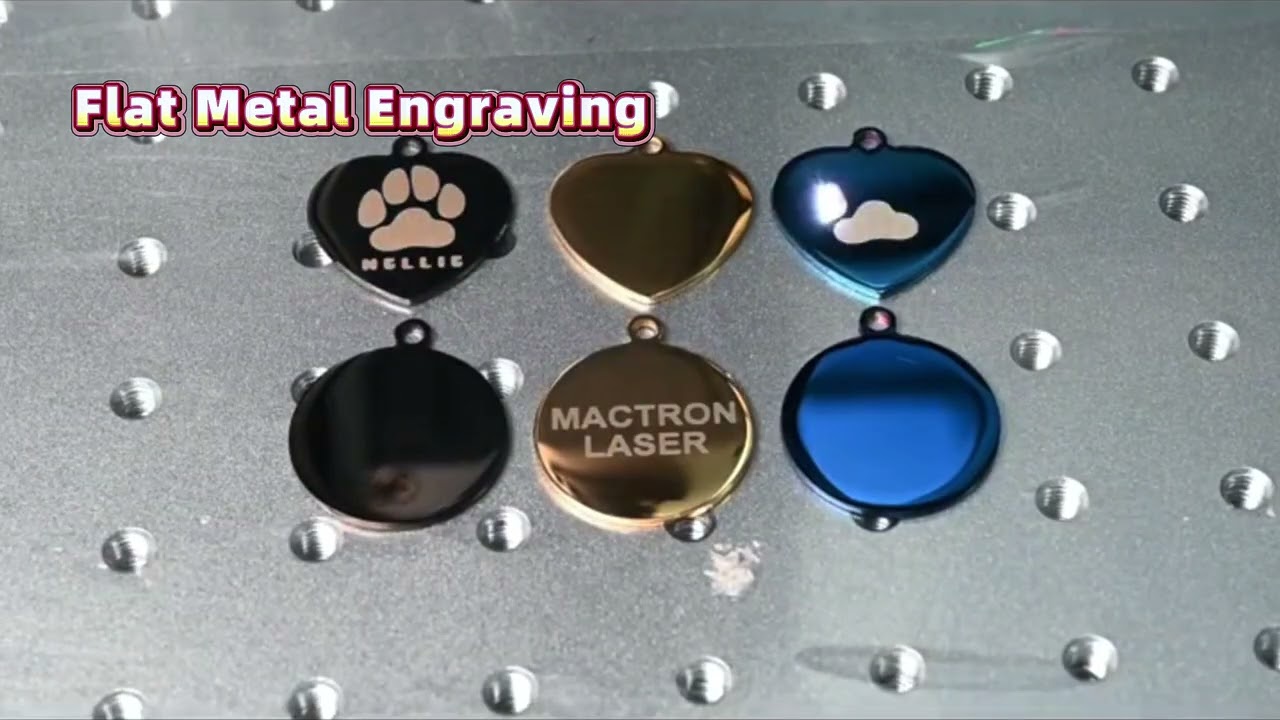
Entdecken Sie Gravuren auf Metallen, Kunststoffen, Leder, Stein, Acryl und vielem mehr.


Lernen Sie die kreativen Menschen hinter den Maschinen kennen. Entdecken Sie Alltagsmomente mit dem Z12, die von unseren Kunden festgehalten und geteilt wurden.

Ihr idealer Begleiter zu Hause, um personalisierte Objekte präzise zu gestalten.

Unterstützt Handwerksbetriebe dabei, ihre Produktionskapazität und Projektqualität zu verbessern.

Ideal für individuelle Schlüsselanhänger, Ornamente, Erinnerungsstücke und Marken-Andenken.

Von individuellen Geschenken und Dekorationen bis zu einzigartigen Tiermarken für Hunde und Katzen.


| Product | Z12 20W Standard Fiber | Z12 30W Standard Fiber | Z12 50W 3D 3D Relief Engraving | Z12 60W MOPA MOPA Fiber |
|---|---|---|---|---|
| Laser Technology | ||||
| Laser Type | Fiber Laser | Fiber Laser | 3D Fiber Laser | MOPA Fiber Laser |
| Laser Power | 20W | 30W | 50W 3D | 60W MOPA |
| Laser Wavelength | 1064 nm | 1064 nm | 1064 nm | 1064 nm |
| Expected Lifespan | 100,000 hours | 100,000 hours | 100,000 hours | 100,000 hours |
| Laser Source | MAX | MAX | MAX | JPT |
| Processing Capacity | ||||
| Processing Mode |
Laser Engraving Laser Cutting |
Laser Engraving Laser Cutting |
Laser Engraving Laser Cutting 3D Relief Engraving |
Laser Engraving Laser Cutting MOPA Color Marking |
| Supported Materials | Stainless steel, aluminum, brass, copper, gold, silver, stone, black acrylic, leather and plastic | |||
| Working Area | 4.33″ × 4.33″ (110 × 110 mm) 5.9″ × 5.9″ (150 × 150 mm) — optional lens 7.8″ × 7.8″ (200 × 200 mm) — optional lens | |||
| Max. Working Speed | 15,000 mm/s | 15,000 mm/s | 15,000 mm/s | 15,000 mm/s |
| Max. Stainless Steel Cutting Capacity Multiple passes required | 0.6 mm | 0.8 mm | 1.6 mm | 2 mm |
| Color Marking | Supported | Supported | Supported | Advanced MOPA Color Marking |
| 360° Rotary Engraving | Supported | Supported | Supported | Supported |
| Foot Pedal Function | External Foot Pedal | External Foot Pedal | External Foot Pedal | External Foot Pedal |
| Power Adapter Input Voltage | 100–230V | 100–230V | 100–230V | 100–230V |
| Accuracy & Precision | ||||
| Laser Spot Size | 0.01 mm | 0.01 mm | 0.01 mm | 0.01 mm |
| XY Positioning Accuracy | 0.001 mm | 0.001 mm | 0.001 mm | 0.001 mm |
| Focus Mode |
Electric Focus Manual Focus |
Electric Focus Manual Focus |
Electric Focus Manual Focus |
Electric Focus Manual Focus |
| Software & Compatibility | ||||
| Supported Software |
EZCAD LightBurn |
EZCAD LightBurn |
RK-CAD |
EZCAD LightBurn |
| Operating System | Windows / macOS | Windows / macOS | Windows / macOS | Windows / macOS |
| Connection Method | USB | USB | USB | USB |
| Supported File Formats | BMP, GIF, JPG, JPEG, DXF, DST, AI, TGA, PNG, TIF, TIFF, SVG, G-CODE, PLT and more | |||
The Z12 is designed primarily for metal marking and engraving, including stainless steel, aluminum, brass, copper, gold, silver, coated metals and anodized aluminum. It can also mark certain engineering plastics. Suitability and results depend on the material, laser version and settings.
Yes. The Z12 supports a compatible MD18 rotary attachment for cylindrical objects such as rings, tubes and tumblers. Check the attachment, object dimensions and your selected package before ordering; a rotary attachment is not included with every configuration.
Yes. The Z12 has a 90° rotatable laser arm for flexible positioning when working with large or irregularly shaped objects. Follow the machine's setup instructions and refocus after changing the working position.
Yes. Electric Z-axis lifting lets you adjust the laser head height using the controls when working with objects of different heights. Electric lifting is height adjustment, not automatic focusing; the correct focus still needs to be set for your lens and workpiece.
Choose according to your materials and intended results, not power alone.
Software compatibility depends on the installed controller and Z12 version. The current product comparison lists EZCAD and LightBurn for the 20W, 30W and 60W MOPA versions, and RK-CAD for the 50W 3D version.
Confirm the required software, operating system, controller compatibility and licence for your specific machine before purchase. Do not assume every version supports the same software or relief workflow.
The Z12 can suit committed beginners as well as professional users. Allow time to learn focusing, material settings and the software workflow, and begin with test pieces. Read the supplied safety instructions and use the required protective measures before operating the machine.
Standard fiber lasers are well suited to many metal-marking tasks, including text, logos, serial numbers and QR codes. MOPA adds greater control over pulse duration and frequency, offering more flexibility for selected materials and finishes.
The Z12 60W MOPA is the option to consider for color marking on suitable stainless steel and titanium. Color and surface quality depend on the material, preparation and settings; results are not guaranteed on every metal. For dedicated relief workflows, compare the 50W 3D configuration and its software as well.

Für Maker entwickelt. Bereit für Ihr nächstes Projekt.
Hast du ein Konto?
Logge dich ein, damit es beim Checkout schneller geht.


