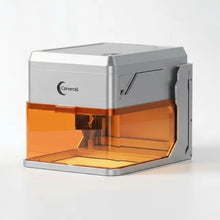
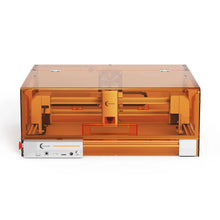
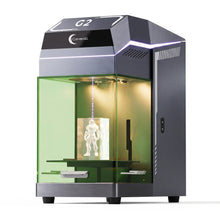
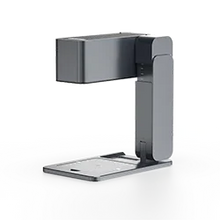
Carverall software

The software for your laser machine

Download CutLabX, LightBurn, LaserGRBL, and device-specific files from one clean hub.

The software for your laser machine
Connect Wifi, Cable and Bluetooth
Device PC, Mobile, Iphone & Mac
Software CutLabX, Lightburn, LaserGRBL & Engraver

Software

CutLabX
Recommended

CutLabX

Carverall's recommended software for daily engraving, cutting, layout setup, and beginner-friendly project control.

Platform
Windows, macOS, selected app workflow
Best for
Most Carverall diode and galvo laser machines
LightBurn
Pro workflow

LightBurn

A professional laser software option for users who need advanced layout, material libraries, camera tools, and production control.

Platform
Windows, macOS, Linux
Best for
Selected diode, CO2, and GRBL-supported workflows
LaserGRBL
Windows

LaserGRBL

A lightweight Windows software choice for GRBL-based laser engraving and simple cutting workflows.

Platform
Windows
Best for
GRBL-based diode laser machines
Mobile app
Mobile

Mobile app

Use this area for QR codes, mobile setup notes, or app download links for supported Carverall machines.

Platform
iOS, Android
Best for
Selected portable and compact machines

Machine compatibility

Machine Recommended software Also supports Device Download
A1
A1 Diode laser engraver
CutLabXRecommended for a simple Carverall setup workflow.
LightBurn, LaserGRBL
Windows, macOS, mobile app
X1
X1 Diode laser engraver
CutLabXGood for desktop engraving and cutting setup.
LightBurn, LaserGRBL
Windows, macOS,mobile app
G2
G2 UV laser engraver
SapphireCarverall Self-Developed
SapphireMark
Windows, macOS
Z3
Z3 Foldable galvo laser engraver
EngraverSpecialized Softwre for Z3
Mobile app
Windows, macOS, mobile app
K15 Pro
K15 Pro Compact laser engraver
CutLabXUpdate this link if the K15 Pro package is stored separately.
Lasergrbl, Lightburn
Windows, macOS,mobile app
Xmax1
Xmax1 Large-format diode laser
CutLabXRecommended for larger engraving and cutting workflows.
LightBurn, LaserGRBL
Windows, macOS,mobile app
K4
K4 Portable laser engraver
CutLabXRecommended for Phone Use
Lightburn, LaserGRBL
Windows, macOS,mobile app
Z11
Z11 5W Fiber Laser
BSLRecommended for BSL
Lightburn
Windows

Support notes

Reduce setup confusion before it starts

01

Know your Machine Number

Choose the correct Software for the machine, connect your machine to computer.

02

Install the driver

Install the driver before you using the software.

03

Choose the correct COM Port

You may have several device connected to your computer, choose the correct COM port of the laser machine.